
FAQ
List of questions about Kredivo

Search results ""

Search not found.
Please search with other topics.
Please search with other topics.

{{answer}}
Apply via the Kredivo app, available for download on the App Store (for iOS) and Google Play Store (for Android).
Applicants must meet the following criteria:
- Be a Thai citizen with a valid (unexpired) ID card.
- Be at least 20 years old on the date of application.
- Currently reside in Thailand.
Kredivo Cash Loan allows you to withdraw cash instantly through the Kredivo app, with flexible installment options of 3 or 5 months.
New feature from Kredivo! Scan to pay via Thai QR directly through the Kredivo app at partner merchants nationwide:
- Flexible installments of 1, 2, 3, or up to 5 months
- Maximum interest of 2.08% per month
- No down payment and no credit card required
Find Answer by Topic
 General Information
General Information
General Information  Delete account
  Unlink Device
 Kredivo is a digital lending app that allows you to pay for goods and services in installments instantly, both online and in-store. Featuring a 'Buy Now, Pay Later' service, it offers fast approval, fair interest rates, and a ready-to-use cash limit. It is easy to apply for with minimal documentation required.
Apply via the Kredivo app, available for download on the App Store (for iOS) and Google Play Store (for Android).
Applicants must meet the following criteria:
- Be a Thai citizen with a valid (unexpired) ID card.
- Be at least 20 years old on the date of application.
- Currently reside in Thailand.
You can contact Kredivo Customer Service to update your ID card information through the following channels:
- LINE OA: @kredivoth (with @)
- Tel.: 02-544-0034
- Email support.th@kredivo.com.
Kredivo services are available to customers residing in all provinces across Thailand.
The documents required for application are as follows:
- A valid (unexpired) National ID card
- A selfie taken within the application for identity verification
- Additional documents as specified by the company (depending on the type of loan)
The maximum interest rate is 25% per year (2.08% per month). You can review the applicable rate on the 'Payment Confirmation' page before completing your transaction.
A stamp duty of 1 THB applies for every 2,000 THB of approved credit (only for credit limits exceeding 2,000 THB).
For late payments, a daily interest rate of 0.0685% will be charged on the outstanding principal balance (no compound interest).
If an overdue balance exceeds 1,000 THB, the following debt collection fees will apply:
- 50 THB for 1 overdue billing cycle
- 100 THB for more than 1 overdue billing cycle
Kredivo does not charge any application or annual fees.
Kredivo has no policy requiring applicants to make a down payment or transfer money to the company during the application process. Please beware of scammers or those impersonating the company.
Your transaction limit is based on the credit limit you have been approved for, with a maximum approved limit of up to 20,000 THB.
You cannot manually request a limit increase. Any adjustments to your credit limit are based on your credit profile and the terms and conditions specified by the company.
We recommend maintaining a good payment history to increase your chances of receiving a higher limit in the future.
Kredivo places the highest priority on your privacy and personal data. All of your information is encrypted and handled in strict accordance with Kredivo Privacy Policy.
Kredivo has no policy to sell your information to third parties (except where necessary to provide services, enable product usage, or as required by law).
You can reach Kredivo Customer Service through the following channels:
- LINE OA: @kredivoth (with @)
- Tel.: 02-544-0034
- Email support.th@kredivo.com.
You can check your receipt via email once your payment is successfully completed.
For further inquiries, please contact Kredivo Customer Service:
- LINE OA: @kredivoth (with @)
- Tel.: 02-544-0034
- Email support.th@kredivo.com.
You are required to accept the terms and conditions to apply for Kredivo services.
This is to ensure the security of your information. Kredivo has no policy to misuse your data or make phone calls on your behalf without your permission.
If you find a transaction that you did not authorize, please notify Kredivo Customer Service within 24 hours. Otherwise, it will be considered that the transaction was initiated by you.
Please note that certain digital transactions cannot be canceled once completed, such as:
- Mobile top-ups and data packages
- Utility bill payments (water and electricity)
The revolving credit limit in the Kredivo app is treated as a single shared limit. Every purchase and transaction will be deducted from your current available balance.
However, you can make early repayments at any time to restore your revolving credit limit and continue using it immediately.
Possible reasons include:
- Your available credit limit is not enough for this transaction.
- Your account has been suspended due to an outstanding balance.
- The transaction does not meet the company's internal criteria or requirements.
For further inquiries, please contact Kredivo Customer Service:
- LINE OA: @kredivoth (with @)
- Tel.: 02-544-0034
- Email support.th@kredivo.com.
Your transactions must comply with Kredivo Terms of Service. Additionally, maintaining a good payment history will help ensure smoother transaction approvals.
Your transactions must comply with Kredivo Terms of Service. Additionally, maintaining a good payment history will help ensure smoother transaction approvals.
Once approved, you can activate your account immediately via the link in your email. Simply enter the OTP and set your PIN for your Kredivo account.
After successful activation, you will receive a confirmation email along with your Revolving Digital Personal Loan Agreement. The agreement is marked with your digital signature, making it legally binding.
Please do not delete the Kredivo app until you have completed the activation process. If you have already deleted the app, please contact Kredivo Customer Service.
You can check your transaction history yourself through the Kredivo app:
1. Go to the 'Bills' page.
2. Tap the 'History' icon (the circular clock icon) to open the History page.
3. Select and view the transactions you wish to check.
You can find Kredivo's privacy policy here.
You can view Kredivo Terms and Conditions here.
You can reset your PIN by simply tapping 'Forgot PIN' on the Login page.
Please keep your PIN and account information confidential. You are responsible for all transactions and charges incurred through your account.
If your account has been suspended due to overdue payments, please clear your outstanding balance to reactivate your account.
If you have cleared all outstanding balances but are still unable to reactivate your account, please contact Kredivo Customer Service:
- LINE OA: @kredivoth (with @)
- Tel.: 02-544-0034
- Email support.th@kredivo.com.
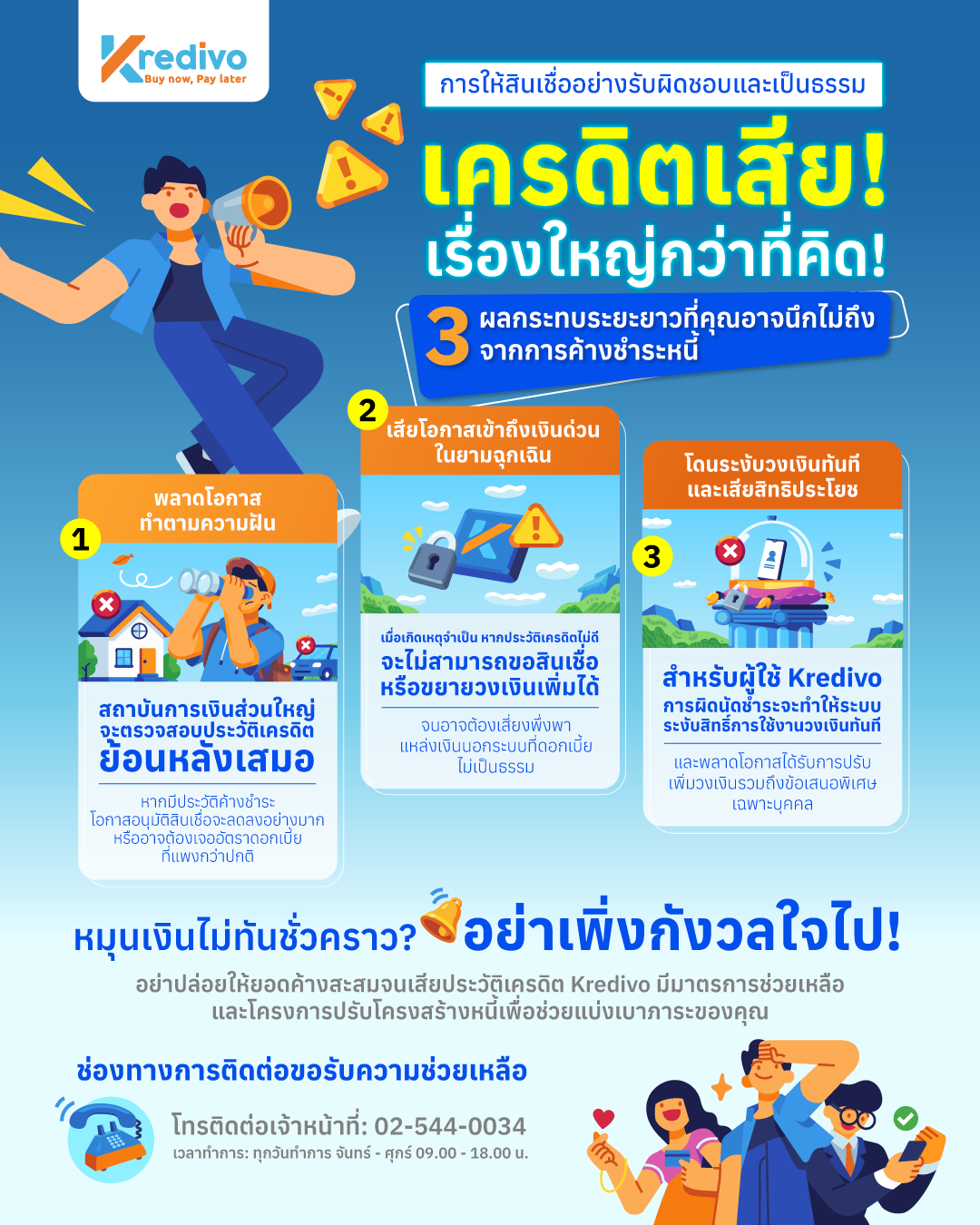
โดยทั่วไป การค้างชำระหนี้ส่งผลเสียระยะยาว ได้แก่ ขอสินเชื่อบ้านหรือรถยากขึ้นและถูกคิดดอกเบี้ยแพงขึ้น, เสียโอกาสกู้เงินด่วนยามฉุกเฉินจนอาจต้องพึ่งเงินนอกระบบ และถูกระงับวงเงินทันทีพร้อมเสียสิทธิประโยชน์ต่างๆ
อย่างไรก็ตาม หากคุณเริ่มหมุนเงินไม่ทัน Kredivo มีมาตรการช่วยเหลือและโครงการปรับโครงสร้างหนี้
โดยสามารถติดต่อเจ้าหน้าที่ได้ในวันและเวลาทำการเพื่อหาทางออกร่วมกันก่อนเสียประวัติ
โทรติดต่อเจ้าหน้าที่: 02-544-0034
เวลาทำการ: ทุกวันทำการ จันทร์ – ศุกร์ 09.00 – 18.00 น.
Kredivo Cash Loan allows you to withdraw cash instantly through the Kredivo app, with flexible installment options of 3 or 5 months.
The interest rate is up to 25% per year (2.08% per month). There are no additional fees, except for debt collection fees in the event of a payment default.
You will receive your cash within 1 business day or sooner.
If you have not received the cash within this timeframe, please contact Kredivo Customer Service:
- LINE OA: @kredivoth (with @)
- Tel.: 02-544-0034
- Email support.th@kredivo.com.
Kredivo Cash Loan is available to all Kredivo customers.
You can request a cash loan yourself through the Kredivo app:
1. Select the 'Cash Loan' menu.
2. Specify the amount, installment term, and purpose.
3. Add a bank account to receive the cash.
4. Enter your PIN and tap 'Request loan'.
You will receive your cash within 1 business day or sooner.
You can take a cash loan up to your approved credit limit (not exceeding 20,000 THB). The actual available amount depends on your outstanding balance and credit history.
Your credit limit will decrease by the amount taken and will be restored immediately once you make a repayment.
The cash will be transferred to your bank account. The account name must match the name on the ID card used for your Kredivo application.
Billing cycles and due dates are categorized by user type:
- New customers: The billing cycle ends on the 21st of every month.
- TikTok PayLater customers: Your existing due date remains unchanged.
For general customers, your bill will include all transactions made from the 21st of the current month to the 20th of the following month.
Billing cycle examples:
- February bill: Spending from Jan 21 - Feb 20 (Due March 1)
- March bill: Spending from Feb 21 - Mar 20 (Due April 1)
Please check the 'Bills' page in the Kredivo app for your exact due date.
For late payments, a daily interest rate of 0.0685% will be charged on the outstanding principal balance (no compound interest).
If an overdue balance exceeds 1,000 THB, the following debt collection fees will apply:
- 50 THB for 1 overdue billing cycle
- 100 THB for more than 1 overdue billing cycle
Kredivo does not charge any application or annual fees.
You can make an early payment without any fees, and interest will be charged only up to the actual payment date. Note that all currently due bills must be settled before you can make an early payment.
You can make an early loan payment through the Kredivo app:
1. Go to the 'Bills' page.
2. Tap the three-dot icon at the top right corner.
3. Select 'Early repayment'.
Kredivo biller service payment allows you to top up mobile credits, purchase data packages, and pay utility bills via the Kredivo app. This covers all leading mobile carriers and water and electricity providers across Thailand, with an option to pay back within 1 month.
The interest rate is up to 25% per year (2.08% per month). There are no additional fees, except for debt collection fees in the event of a payment default.
Kredivo biller service payment is available to all Kredivo customers.
You can top up your mobile credits and purchase data packages yourself through the Kredivo app:
1. Select the 'Mobile Top-up' or 'Data Packages' menu.
2. Select your mobile carrier and enter your mobile number.
3. Specify the amount or select your desired package.
4. Enter your PIN and OTP to confirm.
The top-up or data package will be processed immediately. You will receive a receipt via email once the transaction is successful.
The limit depends on your individual credit history and the specific limits set by each service provider. You can use the biller service payment multiple times as long as you have an available credit balance.
Please note that the installment option for the biller service payment is strictly limited to a 1-month term.
Your credit limit will decrease by the bill amount paid and will be restored immediately once you make a repayment.
You can pay your electricity bill yourself through the Kredivo app:
1. Select the 'Electricity' menu.
2. Select your service provider.
3. Scan the QR on your electricity bill.
4. Enter your mobile number.
5. Enter your PIN to confirm.
The electricity bill will be paid immediately. You will receive a receipt via email once the transaction is successful.
If you do not receive your top-up or data package within 10 minutes, please contact Kredivo Customer Service:
- LINE OA: @kredivoth (with @)
- Tel.: 02-544-0034
- Email support.th@kredivo.com.
Please note that the investigation and processing may take up to 24 hours.
Please double-check your phone number every time you make a transaction. Kredivo does not have a refund policy for cases where an incorrect mobile number was provided.
If you cannot find a specific service provider, it means that the provider does not currently support payments for that particular transaction type.
Your bill will include all transactions made from the 21st of the current month to the 20th of the following month.
Billing cycle examples:
- February bill: Spending from Jan 21 - Feb 20 (Due March 1)
- March bill: Spending from Feb 21 - Mar 20 (Due April 1)
Please check the 'Bills' page in the Kredivo app for your due date.
For late payments, a daily interest rate of 0.0685% will be charged on the outstanding principal balance (no compound interest).
If an overdue balance exceeds 1,000 THB, the following debt collection fees will apply:
- 50 THB for 1 overdue billing cycle
- 100 THB for more than 1 overdue billing cycle
Kredivo does not charge any application or annual fees.
You can make an early payment without any fees, and interest will be charged only up to the actual payment date. Note that all currently due bills must be settled before you can make an early payment.
You can make an early loan payment through the Kredivo app:
1. Go to the 'Bills' page.
2. Tap the three-dot icon at the top right corner.
3. Select 'Early repayment'.
You can repay your bills yourself through the Kredivo app:
1. Go to the 'Bills' page.
2. Go to your current bill and outstanding balance, then tap 'Make repayment'.
3. Tap 'Continue'.
4. Select your payment method.
5. Follow the instructions for your selected method and complete the payment.
You will be notified as your payment due date approaches via the Kredivo app, email, and/or telephone.
Your bill will include all transactions made from the 21st of the current month to the 20th of the following month.
Billing cycle examples:
- February bill: Spending from Jan 21 - Feb 20 (Due March 1)
- March bill: Spending from Feb 21 - Mar 20 (Due April 1)
Please check the 'Bills' page in the Kredivo app for your due date.
Your account may be suspended until the full outstanding balance is paid.
If payment is not received, the company is required to take action in accordance with Kredivo Revolving Digital Personal Loan agreement. This includes debt collection processes and reporting your payment information to the National Credit Bureau (NCB).
If you are experiencing difficulties that prevent you from making a payment on time, please contact Kredivo Customer Service immediately:
- LINE OA: @kredivoth (with @)
- Tel.: 02-544-0034
- Email support.th@kredivo.com.
The company may consider granting a payment extension of up to 90 days from the original due date of that specific bill.
If you are experiencing difficulties that prevent you from making a payment on time, please contact Kredivo Customer Service immediately:
- LINE OA: @kredivoth (with @)
- Tel.: 02-544-0034
- Email support.th@kredivo.com.
First, please carefully review your bill details within the Kredivo app.
If you are certain that the bill amount is incorrect, please contact Kredivo Customer Service immediately:
- LINE OA: @kredivoth (with @)
- Tel.: 02-544-0034
- Email support.th@kredivo.com.
You can make an early payment without any fees, and interest will be charged only up to the actual payment date. Note that all currently due bills must be settled before you can make an early payment.
You can make an early loan payment through the Kredivo app:
1. Go to the 'Bills' page.
2. Tap the three-dot icon at the top right corner.
3. Select 'Early repayment'.
You can request an excess balance for any overpayment by contacting Kredivo Customer Service:
- LINE OA: @kredivoth (with @)
- Tel.: 02-544-0034
- Email: support.th@kredivo.com
If the excess balance is not requested, the amount will be automatically credited toward your next bill.
You will receive your approval result within minutes.
If your application is not approved (e.g., the ID card photo is blurry or documents are incomplete), you will be eligible to re-apply in 30 days.
Please carefully double-check the accuracy of your information and documents before confirming your application.
Your personal information is required for identity verification and service application to ensure the accuracy and security of your account.
Kredivo prioritizes your privacy above all else. Your data will be stored securely and protected against any unauthorized access from third parties.
The documents required for application are as follows:
- A valid (unexpired) National ID card
- A selfie taken within the application for identity verification
- Additional documents as specified by the company (depending on the type of loan)
The company must comply with the regulations of the Anti-Money Laundering Office (AMLO) and the Bank of Thailand (BoT). Applicants are required to undergo identity verification (KYC) using their ID card and a selfie, which is the security standard for licensed credit providers like Kredivo.
You can download your bank statements by following the steps for each mobile banking app below:
K PLUS (Kasikornbank)
1. Select the 'Transactions' menu.
2. Enter your password.
3. Select 'Statement'.
4. Select the desired months and tap 'Request'.
5. Wait to receive the document through your specified channel.
6. Check for the status notification within the app.
SCB EASY (Siam Commercial Bank)
1. Select the 'Account Summary' menu.
2. Select the account for which you want to request a statement.
3. Select the 'Other Services' menu.
4. Select 'Request Statement'.
5. Select the desired time period and tap 'Request'.
6. Wait to receive the document through your specified channel.
Krungsri Biz Online (Bank of Ayudhya)
1. Select the 'Statement' menu.
2. Tap 'Personal Account' and select the 'Request 1-year past statement' menu.
3. Select your desired month and language, then confirm.
4. Enter your OTP.
5. Wait to receive the document at your specified email address.
Krungthai NEXT (Krungthai Bank)
1. Select the 'Accounts' menu.
2. Select the account for which you want to view the statement.
3. Select 'Others' and then 'Statement'.
4. Select your preferred document format and tap 'Export'.
5. Save the document file.
MyMo by GSB (Government Savings Bank)
1. Select the 'Accounts' menu.
2. Select the deposit account for which you want to request a statement.
3. Select 'Statement'.
4. Select the 'Time Period' and then the 'Language'.
5. Tap 'Request'.
New feature from Kredivo! Scan to pay via Thai QR directly through the Kredivo app at partner merchants nationwide:
- Flexible installments of 1, 2, 3, or up to 5 months
- Maximum interest of 2.08% per month
- No down payment and no credit card required
The interest rate is up to 25% per year (2.08% per month). There are no additional fees, except for debt collection fees in the event of a payment default.
The Scan to Pay feature is available only at merchants that support payments via Thai QR.
All Kredivo app users who meet Kredivo Terms and Conditions are eligible to use their credit limit for Thai QR Scan to Pay transactions.
All Kredivo app users who meet Kredivo Terms and Conditions are eligible to use their credit limit for Thai QR Scan to Pay transactions.
Your credit limit will decrease by the amount used and will be restored immediately once you make a repayment.
You can purchase all types of products and services from any merchant that supports Thai QR payments. This is subject to product and service categories that comply with Kredivo Terms and Conditions, as well as the Digital Revolving Personal Loan Agreement.
Please ensure that you have a sufficient credit limit in the Kredivo app every time before choosing to pay in installments.
Once the purchase is confirmed via the Kredivo app and payment is successful, the merchant will provide an order confirmation.
If you wish to track your delivery status, please contact the merchant directly.
The cancellation of a transaction depends on the merchant's policy. Please contact the merchant directly to proceed with your request.
Once the merchant has confirmed your cancellation:
- Your credit limit will be restored to your Kredivo account immediately.
- Any payments already made will be refunded within 7 working days.
Product returns are subject to the merchant's policy. Please contact the merchant directly.
Kredivo will only adjust your outstanding balance once the merchant has confirmed the refund through our system.
In cases where the merchant issues a refund as store credit or a gift card, you are still required to complete your loan repayments to Kredivo as usual.
If you encounter any issues regarding the products you have ordered, please contact the merchant directly.
The first partial refund from a merchant will be applied as a deduction toward your next billing cycle for any other related credit balances.
If the refund amount from the merchant is higher than your next monthly bill, the system will carry forward the remaining balance to be deducted from subsequent months until the refund amount is fully utilized.
If you wish to request a direct payout for this partial refund received from the merchant, please contact Kredivo Customer Service:
- LINE OA: @kredivoth (with @)
- Tel.: 02-544-0034
- Email: support.th@kredivo.com
Your bill will include all transactions made from the 21st of the current month to the 20th of the following month.
Billing cycle examples:
- February bill: Spending from Jan 21 - Feb 20 (Due March 1)
- March bill: Spending from Feb 21 - Mar 20 (Due April 1)
Please check the 'Bills' page in the Kredivo app for your due date.
For late payments, a daily interest rate of 0.0685% will be charged on the outstanding principal balance (no compound interest).
If an overdue balance exceeds 1,000 THB, the following debt collection fees will apply:
- 50 THB for 1 overdue billing cycle
- 100 THB for more than 1 overdue billing cycle
Kredivo does not charge any application or annual fees.
You can make an early payment without any fees, and interest will be charged only up to the actual payment date. Note that all currently due bills must be settled before you can make an early payment.
You can make an early loan payment through the Kredivo app:
1. Go to the 'Bills' page.
2. Tap the three-dot icon at the top right corner.
3. Select 'Early repayment'.
You can deactivate your account yourself via the Kredivo app:
1. Go to the 'Account' page.
2. Select the 'Deactivate Account' menu.
Or contact Kredivo Customer Service to request an account deactivation:
- LINE OA: @kredivoth (with @)
- Tel.: 02-544-0034
- Email support.th@kredivo.com.
Please settle all outstanding loan balances in full before proceeding with the account deactivation.
You can deactivate your account yourself via the Kredivo app:
1. Go to the 'Account' page.
2. Select the 'Deactivate Account' menu.
Or contact Kredivo Customer Service to request an account deactivation:
- LINE OA: @kredivoth (with @)
- Tel.: 02-544-0034
- Email support.th@kredivo.com.
Please settle all outstanding loan balances in full before proceeding with the account deactivation.
You must settle all outstanding loan balances in full before you can request to deactivate your account.
You can deactivate your account yourself via the Kredivo app:
1. Go to the 'Account' page.
2. Select the 'Deactivate Account' menu.
Or contact Kredivo Customer Service to request an account deactivation:
- LINE OA: @kredivoth (with @)
- Tel.: 02-544-0034
- Email support.th@kredivo.com.
Please settle all outstanding loan balances in full before proceeding with the account deactivation.
You may be unable to deactivate your account at this time due to the following reasons:
- There are still outstanding loan balances in your account.
- Your account has been suspended or blocked.
To check your details and request account deactivation, please contact Kredivo Customer Service:
- LINE OA: @kredivoth (with @)
- Tel.: 02-544-0034
- Email support.th@kredivo.com.
Once your account has been deactivated, it cannot be recovered for data security and privacy reasons.
You will need to re-apply for the service to open a new Kredivo account.
All your login credentials will be deleted, and you will no longer be able to log in to the Kredivo app.
The company will retain your account information as required by law and in accordance with Kredivo Privacy Policy.
To enhance your account security, Kredivo will limit access to one account per device at a time. This is to further protect your Kredivo account.
You can unlink your device if you want to log in to your account on another device.
This feature is part of Kredivo's latest product policy, which limits one account to one device at a time to enhance the security of your Kredivo account.
You can unlink your previous device by downloading the Kredivo app on your new device and logging in with your Kredivo account. The system will automatically prompt you for re-verification on the new device.
- Enter the OTP code.
- Take a selfie.
Once both are verified, your new device will be automatically linked, and the previous device will be unlinked.
If you have any problem unlinking a device, please contact our Customer Service at (+66)2 544 0034 or email via support.th@kredivo.com.
If you encounter this problem, please contact our Customer Service at (+66)2 544 0034 or email via support.th@kredivo.com to unlink the device or to take a selfie for verifying the new device.
For more information on unlinking your device, please refer to your Kredivo app.
If you encounter this problem, please contact our Customer Service at (+66)2 544 0034 or email via support.th@kredivo.com to unlink the device or to take a selfie for verifying the new device.
For more information on unlinking your device, please refer to your Kredivo app.
If you have more than one device, you can only log in to your Kredivo account on one verified device at a time.
For example, if you have two devices—a phone and a tablet—and your phone has already been verified, you can use it to log in to your Kredivo account.
However, if you want to log in to your Kredivo account on an unverified device, such as your tablet, you must first unlink the device on your phone before logging in on the tablet.
You can unlink your previous device by downloading the Kredivo app on your new device and logging in with your Kredivo account. The system will automatically prompt you for re-verification on the new device.
- Enter the OTP code.
- Take a selfie.
Once both have been verified by the system, your new device will be automatically linked, and the previous device will be unlinked.
We suggest you to verify the new device before uninstalling the Kredivo app from your old device. For further assistance, please follow the detailed instructions in your Kredivo app or contact our Customer Service.
When you log in to the new device, you will be prompted to verify it in order to access your Kredivo account . You must complete all the required steps to successfully log in to your new device and your old device will be automatically unlinked from Kredivo account.
If your device is stolen or lost, your account will not be automatically blocked; you must contact Customer Service to protect your account.
When you attempt to log in on the new device, you will be prompted to select a verification method, either by taking a selfie or by contacting our customer service to unlink the old device.
Once you complete the verification process, your account will be automatically logged out and unlinked from the old device. After verification, you can log in to your new device as usual using your Kredivo password and OTP.
After you contact our Customer Service team to unlink the device, the verification process may take a few minutes to up to 24 hours.
You cannot log in to your Kredivo account using your new mobile number on either the old or new device because it was not your registered mobile number initially.
To unlink your old device and update your Kredivo account with your new mobile number, please contact our Customer Service team at support.th@kredivo.com or call (+66)2 544 0034. After that, you can log in to your new device using your updated mobile number.
Our Customer Service team will conduct background checks to verify that the unlink request comes from the account owner.
Alternatively, you can choose to unlink your device by verifying it with a selfie. When you use the selfie method, your old device will be automatically logged out, allowing you to log in with your new device.
Need further assistance?
 Send an email
 Contact Customer Service